Flickr user lungstruck
Adam Bellow knows a thing or two when it comes to selecting resources for teachers. First, Bellow is a former teacher. Second, he’s founder and CEO of eduClipper, which enables teachers to collect and curate tools and other helpful materials. So when Bellow agreed to share some of his favorite picks with us, EdSurge jumped at the chance. Keep reading to learn about the mission behind eduClipper, Bellow’s personal selections of material, and how teachers have used eduClipper in ways that surprised him!
EDSURGE: How did you decide to start eduClipper?
BELLOW: In 2012, I went to people I consider to be taste-makers in the edtech space and basically said, ‘this is what I’m thinking of, can you rank these in terms of what you think would be a good idea?’ That’s how I came to the idea of a tool for a kind of visual curation for social collaboration between teachers and students.
What does eduClipper offer users?
EduClipper allows teachers to give project-based assignments to students. Students can build work, capture it in any number of forms, and share it with their teachers for video, audio or badge [marks of success at specific skills] feedback. We really want there to be valuable feedback between teachers and learners, and with eduClipper, students can share their best work through digital portfolios that they’ve created.
Who posts on eduClipper?
We have a wonderfully diverse group of users. Lots of students post things to their classrooms, and we also see quite a bit of educators using eduClipper for sharing tools with other teachers and collaborating. Principals and technology folks also use it to pull in the best resources they’ve found and share them with the teachers in their schools.
What’s a post that has been particularly surprising to you?
The most meaningful use of eduClipper that I’ve seen was when I met a teacher who works with deaf students. She signs their feedback through video. So they can see her, and actually see the video of her signing feedback on their assignments. I thought that was just amazing.
NEWSLETTERS
STAY AHEAD IN EDUCATION.
Sign up for EdSurge newsletters for timely news, insights and analysis.
Here are some of Bellow’s favorite finds from eduClipper:
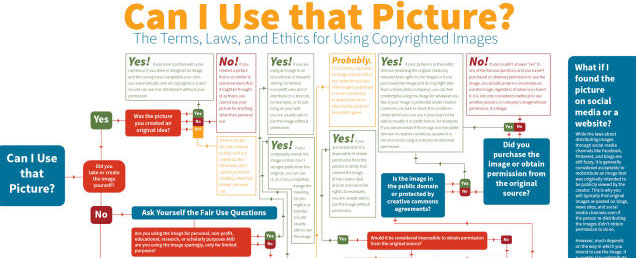
Copyright Chart, clipped by Hadley Ferguson
Critical Thinking Skills Chart, clipped by Brenda Morales
This clip is just a link to an article, but it’s really great that teachers are educating students about fair use and creative commons and different ways to cite their sources. Same for the critical thinking chart.
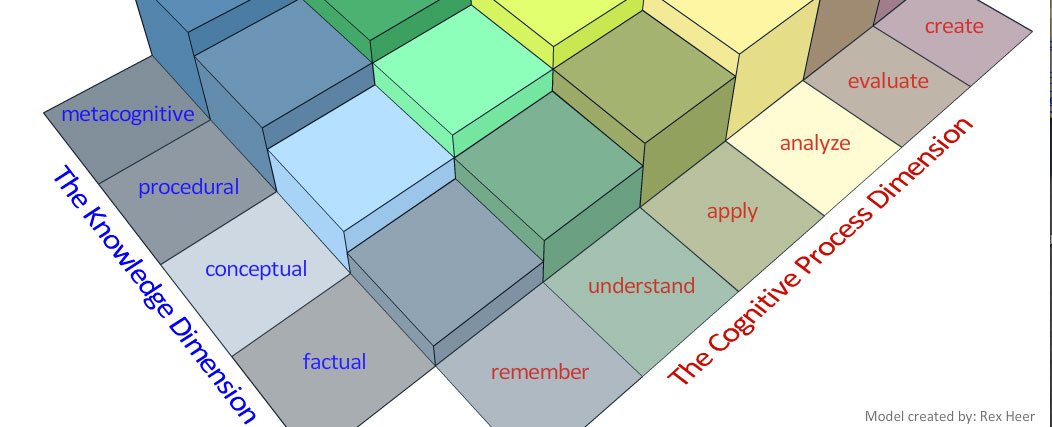
A Taxonomy for Learning, Teaching, and Assessing, clipped by Eileen Lennon
This is based on Bloom’s Taxonomy, but it’s such a cool, interactive version of it that I had never seen before.

81 Dash, clipped by Drew Minock
Canva, clipped by Dean Mantz
Trello, clipped by Janette Garton
Pear Deck, clipped by Tim Flanagan
I love that rather than just posting something to Twitter, teachers are posting new tools that they find, like Canva, Trello, Pear Deck and 81 Dash, to their networks on eduClipper as well. It really reaches a different audience. There are educators who are on eduClipper because their schools started using it, and they’ve found it a safe place to share resources. It’s a great place for teachers to show off new tools that way.
Popular on EdSurge
Read Next


News
Tutoring
Can High-Impact Tutoring Survive Post-Pandemic Funding Loss?

Opinion
Artificial Intelligence
Pause AI in Schools. But Not Before You Do This First.

Voices of Change
Professional Development


News
Childcare
Hundreds of Thousands of Eligible Kids Are Waiting for Childcare Assistance

Opinion
Artificial Intelligence
Will Kids Pay the Price for AI Panic?

Voices of Change
Artificial Intelligence