Vibe Coding Sparked a Love of Reading in My Classroom
Lessons learned from a year of building an AI literacy tool.
By David Webb
June 24, 2026

Credit: Hakase_420 / Shutterstock
I have had big ideas before. Ideas that felt urgent and important at 11 p.m. and somehow evaporated by morning. So, when the idea for creating an AI-powered reading recommendation system to generate student excitement about our school’s library catalog came to me, I asked my partner what she thought about me giving up evenings and weekends for a year or two. “Just go for it,” she said.
That conversation was in May 2025. By November, my vibe-coded app was live in my classroom.
Why I Started Vibe Coding
I’m a U.K.-trained primary school teacher with 11 years of experience in international schools across the Middle East and Southeast Asia. Over the years, I have seen librarians carefully curate books only to have them sit untouched on library shelves. This is because there was no systematic way to connect each child to the book most likely to excite them.
Existing solutions were expensive, rigid, and built around proprietary book lists that didn’t match our collection. The more I looked at what was available, the more I realized the problem wasn’t that the technology didn’t exist — it was that nobody had built it for teachers like me, working in schools like mine.
So, I decided to build one myself, using an AI technique that I had read about with increasing interest: vibe coding.
Learning to Build an App
Vibe coding is a practice where people use AI tools to generate software code by describing what they want in plain language to the tool, with little to no traditional programming knowledge required. So, I started vibe coding and telling a large language model what I was trying to build.
Progress was painfully slow — a day forward, three days back. Over the summer months I nearly quit several times. The early architecture decisions haunted me: I was working on a 12-year-old Mac I hadn’t upgraded, and just getting the right development environment installed felt like a full-time job. The worst moment came when several files of code were deleted with no backup. Hours of work, gone. I sat staring at the screen for a long time.
One of the most painstaking phases involved book cover images — I wanted to display covers for our library’s 10,000 books using freely available API calls, without scraping the information, to stay on the right side of copyright laws. Writing the code for this was exhausting. When it finally worked imperfectly, I built a separate page to manually evaluate every cover — AI searching for the ones that hadn’t loaded correctly. That process took weeks. Then the page itself failed completely, and I had to start from scratch.
Switching from Copilot to Claude made a significant difference. It was still prone to errors and loops that would, as I put it to colleagues, drive me absolutely crazy. But it was more reliable than what I’d had before.
What strikes me now is how much has changed — what took me days and weeks in late 2025, I can now accomplish in hours. The rate of improvement in LLMs is frankly frightening.
How It Works
If you’re interested in building a similar tool, the steps are simple: A teacher uploads their school’s library catalog as a CSV file — no re-cataloging required. The teacher then creates student profiles and runs a short reading assessment to gauge their reading level and interests. The AI analyzes the catalog against each student’s reading level, interests, favorite authors and curriculum topics, and generates a personalized reading list from the books already on the shelves.
Student profiles include name, reading age, reading interests, favorite authors, preferred genres, and current class topic. These profiles power the AI recommendations. Progress data includes books read, reviews written, points earned, and comprehension quiz scores. Student profiles and progress data are only visible to their class teacher and school librarian — not to other students.
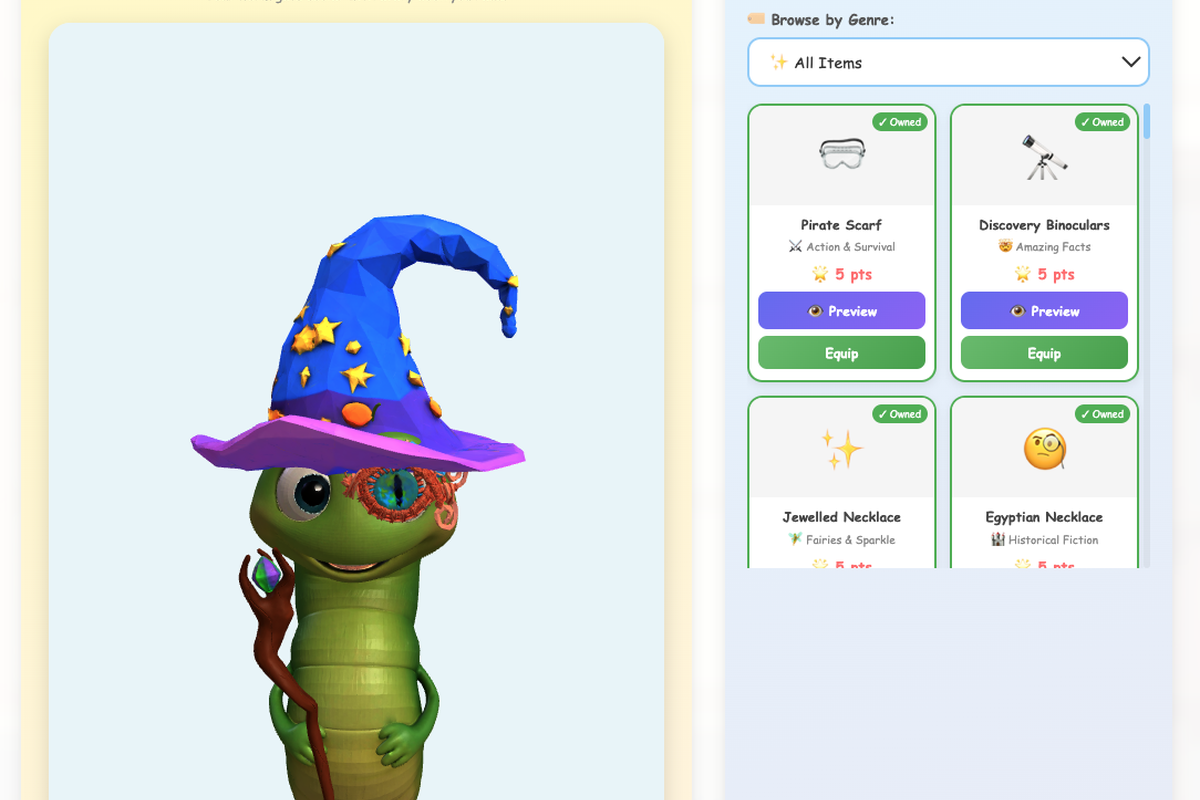
When students log in, they see their recommendations — typically 50 books ranked by how well the books match their profile. Students can mark books as “reading,” “finished,” or “want to read.” When they finish a book, they write a teacher-verified review and answer AI-generated reading comprehension questions. Correct answers earn genre-specific points which unlock accessories for their animated worm companion — one accessory category per genre across 21 genres, so reading widely is rewarded, not just reading a lot. Student reviews are fed back into the recommendation engine — so a hidden gem that one child discovers becomes visible to the whole school community over time.
The recommendation engine in the app draws on a “master books” list I built from more than 1,000 award-winning and highly rated children’s titles across various categories. It’s not just matching reading levels — it’s actively surfacing books that most children would never stumble upon independently.
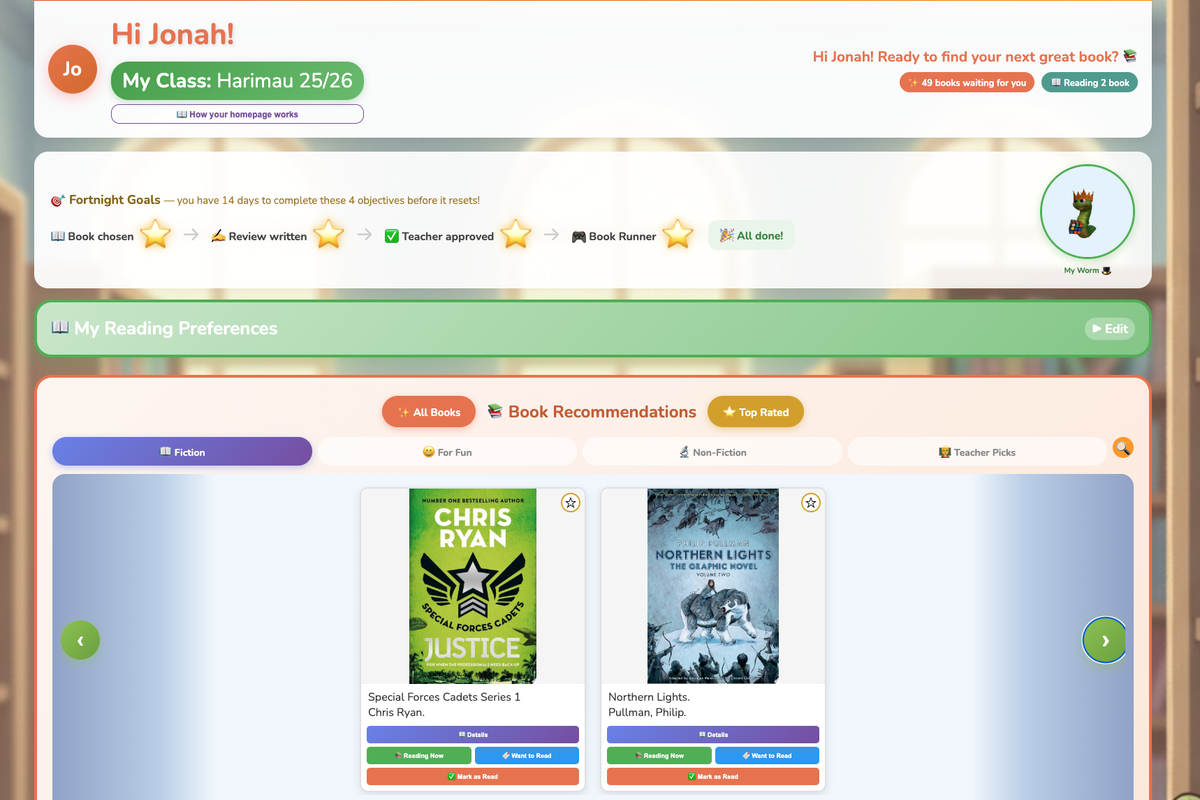
Sometimes a recommendation worked because it was an award-winning book the child had never heard of. Sometimes it was simply a genre they hadn’t tried before but which sat under a topic they’d listed as an interest — opening their eyes to a new corner of the library. Other times it was a natural next step: a similar author, a continuation of a series, a book that built on something they’d already loved and rated.
For data protection, LibraryAid is COPPA and GDPR compliant. Student data is stored securely in Google Firebase. No student email addresses are collected — students log in via a school-issued code and PIN, with no personal email required. Data is never sold or shared with third parties.
Positive Feedback From Colleagues and Family
Early on I told a colleague what I was trying to do. What she said, and the sincerity with which she said it, gave me more confidence than any tutorial or documentation. She said she genuinely believed I could make it work, and that I should not give up. Feedback from other teachers proved equally invaluable. It was frank and occasionally humbling. So far, one colleague has integrated the app into her class and found it very useful.
My 12-year-old son, however, became perhaps my most enthusiastic supporter. He spent considerable time testing the system, told his own school about it and, in what felt like a distinctly contemporary parenting moment, told me he’d asked an LLM whether LibraryAid had a high chance of being successful and it responded with an enthusiastic “yes.”
What My Students Thought
When my tool went live with my students, something shifted in them. Children who had been unenthused about the library before suddenly became excited to explore it. Finding their recommended book became a treasure hunt. Students began venturing into new series and authors they would never have chosen independently.
One student, an English learner reading approximately two grade levels below his current placement, made 3x the average reading progress of his classmates once he was matched to books that genuinely interested him at the right level. The technology didn’t fix his reading struggles, but it connected him to books worth the effort of reading.
I also read aloud to my class, ending the school year with “Swimming Against the Storm” by Jess Butterworth, which has a strong environmental theme. The impact of reading that book last year was striking: suddenly the majority of the class was searching the app for adventure stories with a similar feel. That moment reinforced something I believe deeply about the app — it works best alongside human influence, not instead of it. The app surfaces the right books for students, but the teacher or librarian sparks the interest.
What Vibe Coding Taught Me
Debugging code and diagnosing why a student isn’t understanding a concept require surprisingly similar thinking. For both, you need to be systematic, patient, and hypothesis-driven. Writing algorithms that adapt to different reading patterns made me think more clearly about differentiation. And spending months building something that real children would use every day gave me clarity into why so much edtech misses the mark. At least in my own experience, most education technology is built for administrators, not teachers. It optimizes for reporting and data dashboards rather than the daily reality of 30 children with 30 different relationships with reading. The products that work are the ones built by people who have stood in a classroom and felt the gap between what exists and what’s needed.
Although my tool surfaces an array of enticing books for children, there is no guarantee the recommendations will inspire them to take action. I remember a moment I had with one child this term, who showed me her curated list with a lost expression and eyes that were pleading for guidance. Her list had hidden gems and well-known classics, all with appealing covers — some in her comfort zone and some designed to stretch her thinking. However, the only one that interested her was a familiar series she already knew. The algorithm had done its job. What she needed next was a conversation with a trusted adult.
There isn’t a recommendation engine in the world that can replace the moment a child says, “I’m not sure about any of these,” and looks to their teacher or librarian for a nudge. The trust a child has for the person standing in front of them can’t be coded.
My advice to any educator considering building their own edtech tool: build something that extends what teachers do rather than replaces what they do. The technology should handle the matching but let the children’s learning guides handle the moment. LibraryAid has turned out to be the most useful thing I have ever built, perhaps even eclipsing some of my lessons.
Popular on EdSurge
Read Next

Voices of Change
Artificial Intelligence

News
Childcare
Hundreds of Thousands of Eligible Kids Are Waiting for Childcare Assistance

Voices of Change
Artificial Intelligence




Opinion
Artificial Intelligence